SMS24.me guide
What Is Smishing? How to Spot a Phishing Text
Learn what smishing is, how fraudulent text messages work, the warning signs to look for, and what to do if a text seems suspicious.
By SMS24 Editorial Team | Published August 15, 2026
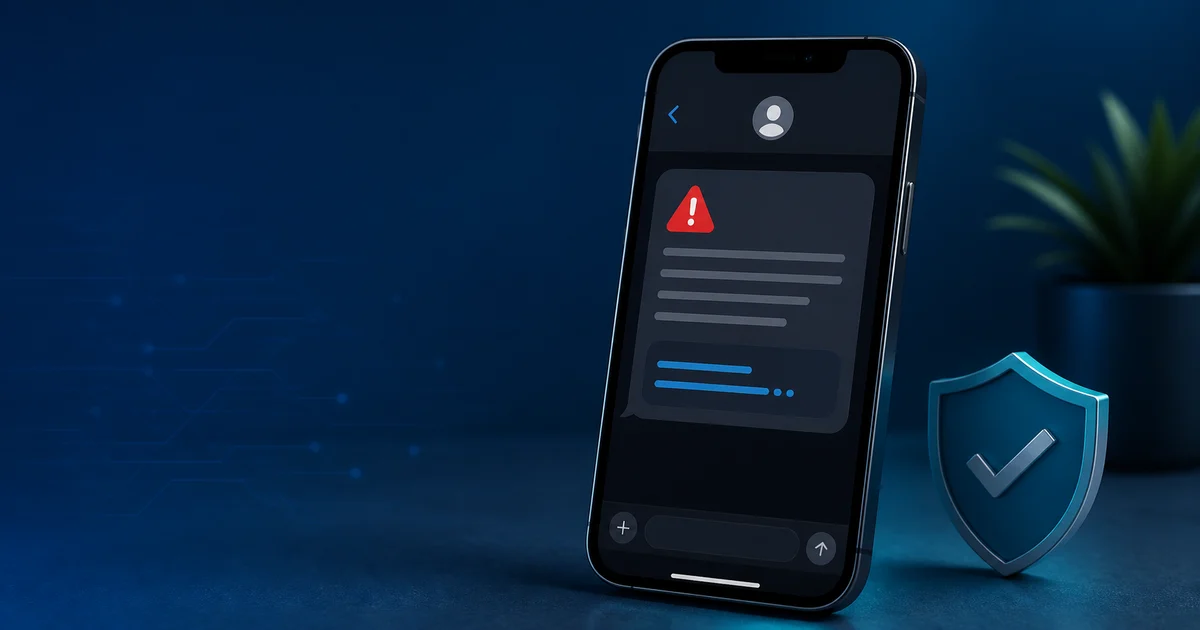
Smishing is phishing delivered by SMS or another text-message channel. A smishing text tries to make you click a link, call a number, reply with information, install an app, or send money. It may impersonate a bank, delivery company, government office, employer, retailer, or a person you know.
The safest response to an unexpected text that asks you to act is to pause. Do not use the link, phone number, QR code, or reply instructions in the message. Instead, open the official app or type the known website yourself to check whether there is a real issue.
What is smishing?
The word smishing combines SMS and phishing. Like email phishing, it relies on social engineering: the sender uses urgency, fear, curiosity, or a reward to push a person into acting before checking the message. A text may claim that a delivery is delayed, a payment failed, a password must be reset, a toll is unpaid, or an account is at risk.
The channel is different, but the goal is familiar. The sender wants information such as a password, card number, account code, or identity data, or wants the recipient to authorize a payment. A convincing-looking sender name or a message that includes personal details does not prove that it is genuine.
How a smishing attack works
A typical smishing attack has three stages. First, the text presents a believable story. Second, it creates pressure with a deadline, a warning, or a promise. Third, it directs the recipient to a fake website, a phone call, a reply, or a payment request.
- The lure: an unexpected delivery update, security alert, refund, job offer, or missed-payment notice.
- The pressure: language such as act now, account suspended, last chance, or fee due today.
- The capture: a link, QR code, phone number, attachment, reply request, or payment instruction that moves the conversation outside a trusted path.
Some campaigns use a familiar organization name, while others start with a vague message that asks whether you meant to contact the sender. The wording changes often. The important signal is not a single phrase but the combination of an unexpected message and a request to take a sensitive action.
How to identify a fake text message
No one sign proves a text is fraudulent, but several warning signs together deserve caution:
- You did not expect the message or have no related order, account, or payment.
- The text demands urgent action or threatens a penalty, lockout, arrest, fee, or lost delivery.
- It asks for a password, one-time code, card details, government identifier, or payment.
- The link uses an unfamiliar address, a misspelled brand, extra words, or a shortened URL that hides its destination.
- The sender asks you to move to another channel, install software, scan a QR code, or reply with personal information.
- The message is poorly written, but polished grammar is not proof of legitimacy either.
Caller ID and sender labels can be misleading. Treat the text as an alert to verify independently, not as proof that the named organization contacted you.
Common smishing examples
Smishing messages often borrow ordinary situations. A delivery-themed text may say that a parcel cannot be delivered until a small fee is paid. A financial-themed text may warn about an unusual charge and ask you to call a number in the message. A government-themed text may claim that a fine is overdue. Job, prize, refund, wrong-number, and account-security stories are also common.
These examples are not limited to a particular company or country. The useful habit is the same: verify through contact details you already know are real. The FTC recommends not replying to unexpected texts or clicking their links, and using the organizations official site, app, or known phone number instead. See its guidance on unexpected text scams for reporting options and current examples.
What to do when you receive a suspicious text
- Stop before interacting. Do not click, call, reply, scan a code, or provide information from the text.
- Verify independently. Open the real company app, type its address yourself, or call a number from a statement, card, or official website.
- Report and block. Use your messaging apps report-junk option and your carriers reporting process where available.
- Tell the real organization. A bank, merchant, delivery company, or employer may be able to warn other customers and confirm whether the message was legitimate.
- Keep evidence if needed. Save a screenshot and the sender details before deleting the text, especially if money or an account may be involved.
A real organization can be contacted through a route you choose yourself. A legitimate verification flow should never require you to reveal a password or code to an unexpected sender.
If you clicked a smishing link
Clicking alone does not always mean an account is compromised, but it is a reason to act promptly. Close the page and avoid entering any information. If you submitted a password, change it from the official website or app, beginning with the affected account and then any other account that reused that password. Review recent account activity and contact the provider through a verified support route.
If you shared card or bank details, contact the financial institution using the number on the card or its official website. If you gave a one-time passcode, treat the related account as urgent because that code may have been used to approve a login or transaction. Stronger account protection, such as passkeys or an authenticator app where supported, can reduce dependence on SMS alone.
Smishing, phishing, and vishing: what is the difference?
- Phishing is the broad term for deceptive messages that seek information, money, or account access.
- Smishing is phishing delivered through SMS or text messages.
- Vishing is phishing delivered through voice calls or voicemail.
The same campaign can use several channels. For example, a text may ask you to call a number, and the caller may then ask for a code. The channel does not change the rule: do not share credentials, recovery codes, or payment details with an unexpected contact.
SMS verification codes and public inboxes
An SMS one-time password is a code intended to confirm control of a number at a particular moment. It is not safe to share with anyone who contacts you. If a service sends a code that you did not request, do not forward it. Instead, sign in through the official service if you need to check the account.
Public inboxes are also not private. Temporary phone numbers on SMS24.me are intended only for transparent, low-risk testing where public visibility is understood. Do not use a public number for banking, account recovery, personal two-factor authentication, or any sensitive account. For a legitimate delivery test, browse active public SMS inboxes and keep the test non-sensitive. If an expected legitimate code is delayed, use the SMS verification troubleshooting guide instead of repeatedly requesting more codes.
Protect your phone number and accounts
Smishing can sometimes be combined with account-takeover attempts. Use unique passwords, enable available account alerts, review recovery methods, and prefer stronger authentication methods for important accounts. Our SIM-swapping guide explains why carrier-account protections and cautious handling of verification codes matter.
Good security habits are deliberately boring: slow down, verify through a known route, and keep sensitive codes private. That short pause is often enough to break the urgency a scammer is trying to create.
Smishing FAQ
Is every unknown text a smishing scam?
No. An unknown text can be harmless, misdirected, or legitimate. However, an unexpected text that asks for money, a code, personal data, or immediate action should be independently verified before you respond.
Can I reply STOP to a suspicious text?
Use STOP only when you are certain the sender is a legitimate service you subscribed to. Replying to an unknown suspicious message can confirm that the number is active. Reporting and blocking it is usually safer.
Can a text message install malware by itself?
Modern devices provide protections, but messages can still lead users to unsafe websites, downloads, profiles, or apps. Avoid interacting with unexpected links and keep your phone and apps updated.
What if the text looks like it came from my bank?
Do not use the contact details in the text. Open your banking app or call the number printed on your card to check whether there is a real alert. A bank can verify its own communications through a channel you already trust.