SMS24.me guide
What Is SIM Swapping? Signs, Risks, and How to Protect Yourself
Learn how SIM swapping works, warning signs to watch for, practical protection steps, and what to do if your phone suddenly loses service.
By SMS24 Editorial Team | Published August 8, 2026
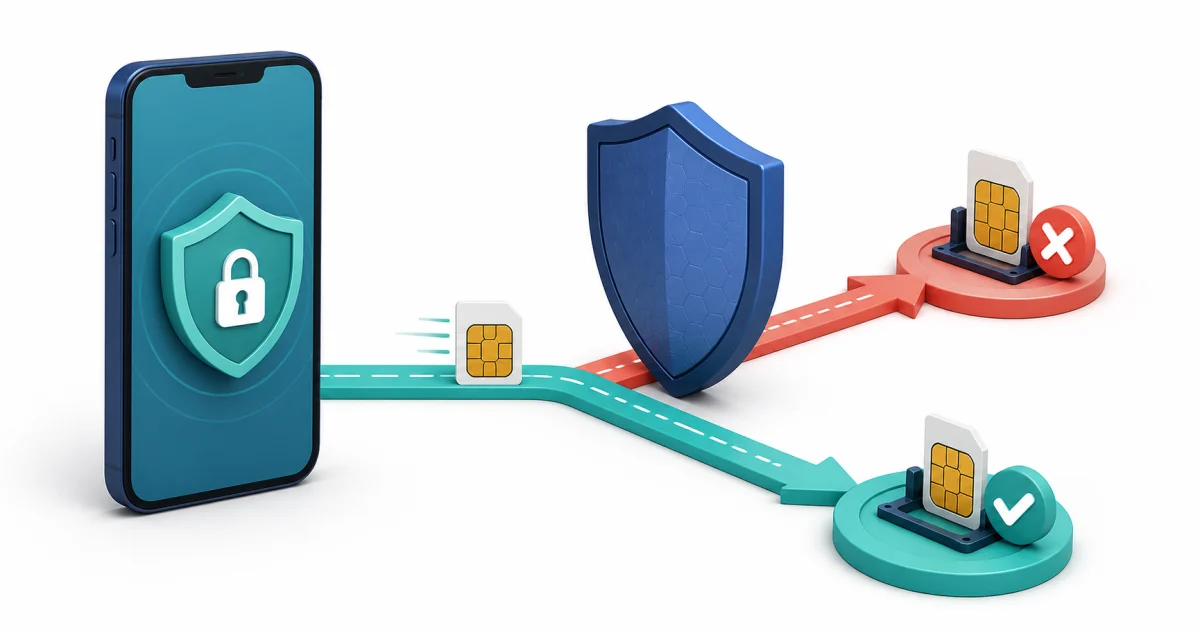
SIM swapping is an account-takeover attack in which someone fraudulently moves a victim's phone number to another SIM or mobile account. Once the transfer succeeds, calls and text messages intended for the victim may reach the attacker instead. That can expose SMS verification codes and make it easier to reset passwords or enter accounts that rely heavily on the phone number.
A SIM swap does not require someone to steal the physical phone. The attack normally targets the relationship between the mobile carrier, the subscriber account, and the phone number. Understanding that distinction helps explain both the warning signs and the most useful protections.
What is SIM swapping?
A legitimate SIM change happens when a subscriber activates a new phone, replaces a damaged SIM, changes from a physical SIM to an eSIM, or moves service between devices. A fraudulent SIM swap happens when another person convinces or manipulates a carrier into making that change without the subscriber's permission.
The terms SIM swap attack, SIM hijacking, and port-out fraud are often used together. They describe closely related ways of taking control of a phone number. In a SIM swap, the number is reassigned within the carrier account. In port-out fraud, the number may be transferred to an account at another carrier. For the victim, the immediate result can look similar: the original phone suddenly loses cellular service.
How does a SIM swap attack work?
Attackers often begin with personal information collected from phishing, exposed account data, social media, or other sources. They may then impersonate the subscriber during a carrier support interaction and attempt to authorize a SIM replacement or number transfer. Carrier verification procedures are designed to prevent this, but social engineering and compromised account credentials can still create risk.
If the transfer succeeds, the attacker's device may start receiving calls and SMS messages for the number. The attacker may already know or have reset a password and then use a texted code as an additional credential. This is why the security of the carrier account matters even when the phone itself remains physically safe.
This description is intentionally defensive. Never attempt to transfer a number that you do not own or access another person's accounts. SIM swapping without authorization is fraud and can cause serious financial and personal harm.
Why SMS verification codes are at risk
An SMS one-time password proves that the person completing a request can currently receive messages sent to a phone number. It does not always prove that the person is the legitimate long-term owner of that number.
When a SIM swap gives an attacker control of the victim's number, text messages can become part of the attack path. SMS authentication is still more protective than using only a password in many situations, but sensitive accounts should use stronger phishing-resistant options when the provider supports them. Passkeys, hardware security keys, and some authenticator-app configurations do not depend on receiving a text through the mobile network.
No legitimate support representative should ask you to read an unexpected verification code aloud. Treat a code as a secret credential, even when the message appears to come from a familiar company.
Warning signs that your SIM may have been swapped
A sudden loss of service is the most recognizable warning sign, especially when other nearby phones on the same network are working. One symptom alone does not prove an attack: outages, billing problems, device faults, and routine carrier maintenance can also interrupt service. Several signs appearing together require quick attention.
- Your phone unexpectedly shows no cellular service and cannot make calls or receive texts.
- Your carrier sends a notice about a SIM activation, eSIM change, account update, or number transfer that you did not request.
- You receive password-reset alerts or login notifications for accounts you were not using.
- Your carrier account password, PIN, email address, or security settings appear to have changed.
- You are locked out of email, banking, cryptocurrency, social media, or other accounts linked to the number.
- Friends receive unusual calls or messages that seem to come from you.
A missing verification message by itself is not normally enough to conclude that a SIM swap occurred. First check ordinary delivery causes using the SMS verification code troubleshooting guide. Escalate quickly when missing messages are accompanied by lost cellular service or unauthorized account alerts.
What to do if you suspect a SIM swap
Contact the mobile carrier immediately through its official app, website, store, or a verified support number. Explain that the number may have been transferred without authorization and ask the carrier to restore control and secure the account. Do not use contact details supplied in a suspicious message.
After the carrier confirms control of the number, work through the affected accounts in order of importance:
- Secure the primary email account, because it may control password resets for many other services.
- Change passwords and end unknown sessions on financial, payment, social, and cloud accounts.
- Replace SMS-based authentication with a stronger available method on sensitive accounts.
- Check bank, card, cryptocurrency, and payment activity for unauthorized transactions.
- Save carrier notices and account alerts in case they are needed for a fraud report.
- Contact the relevant institutions directly when money, identity information, or private data may be exposed.
The FTC guidance on SIM swap scams recommends contacting the carrier immediately, changing account passwords after regaining control, and checking financial accounts for unauthorized activity. People in other countries should use the corresponding carrier, financial institution, and national fraud-reporting channels.
How to prevent SIM swapping
No single setting removes every risk, but several independent controls make an unauthorized transfer harder and limit the damage if one occurs.
Protect the mobile carrier account
Use a unique password for the carrier account and enable the strongest account protection the carrier offers. Depending on the provider, this may include an account PIN, number-transfer lock, port-out lock, or additional verification before a SIM or eSIM change. Keep the carrier recovery email secure as well.
Reduce exposed personal information
Information such as a full birth date, address, phone number, and answers to common security questions can make impersonation easier. Review what is publicly visible on social profiles and avoid responding to unexpected messages that request account details. Contact a company through an independently verified channel when a request seems unusual.
Use stronger authentication for important accounts
Prefer a passkey, hardware security key, or authenticator app when a sensitive service supports it. Store recovery codes securely and review backup methods so that an attacker cannot simply choose a weaker recovery path. Keep SMS as a fallback only when the account design requires it and the associated number is private and under your control.
Watch for early alerts
Enable notifications for carrier-account changes, password resets, new devices, and financial transactions. Fast detection matters because a SIM swap can become the starting point for several account-recovery attempts.
Do temporary phone numbers prevent SIM swapping?
A temporary phone number is not a protection for a personal mobile account and should not be used for banking, password recovery, private profiles, or ongoing two-factor authentication. Public inboxes are visible to other visitors and do not provide exclusive control. Read what a temporary phone number is before using one.
Public numbers can be appropriate for transparent, non-sensitive QA work, such as checking whether a test system sends an SMS. The active temporary number list is intended for those low-risk situations. It is not a replacement for securing a carrier account or protecting a personal number.
SIM swapping FAQ
Can SIM swapping happen without stealing the phone?
Yes. The attack targets control of the mobile number at the carrier or account level. The original phone may remain in the victim's possession while losing cellular service.
Does an eSIM eliminate SIM swap risk?
No. An eSIM removes the removable plastic card, but an unauthorized account-level transfer or eSIM activation can still be a risk. Carrier-account security and strong authentication remain important.
How can I tell a SIM swap from a network outage?
Check the carrier status through a trusted channel and compare service with other nearby customers. An unexpected SIM-change notice, account-setting change, or login alert alongside loss of service is more concerning than a service interruption alone.
Should I stop using SMS authentication?
Do not disable account protection without replacing it. Where possible, move sensitive accounts to stronger methods such as passkeys, security keys, or authenticator apps. If SMS is the only available option, protect the carrier account and never share verification codes.
What is the first step after a suspected SIM swap?
Contact the mobile carrier immediately through an official channel and ask it to restore the number and secure the subscriber account. Then protect the primary email account, change affected passwords, and review financial activity.
SIM swapping turns a phone number into a route toward other accounts. The best defense is layered: secure the carrier account, reduce exposed personal data, use stronger authentication where available, monitor alerts, and react quickly when cellular service disappears unexpectedly.